

Every Assignment. Every Presentation. Every Deadline. Handled.
Record project videos, create stunning presentations, schedule live meetings with classmates, and submit work that actually stands out — all free, all in one browser tab.
Why Students Use Slideator
Whether you're presenting a semester project, recording a video essay, collaborating with a group on a class assignment, preparing for a mock interview, or scheduling a study session — Slideator gives you the tools to do it all with confidence, without juggling five different apps.
Students at every level — high school, undergraduate, postgraduate, and vocational — use Slideator to produce work that's more visual, more professional, and more memorable than anything a plain document or basic slide deck could deliver.
Built for Every Kind of Student Assignment
Class Presentations & Project Pitches
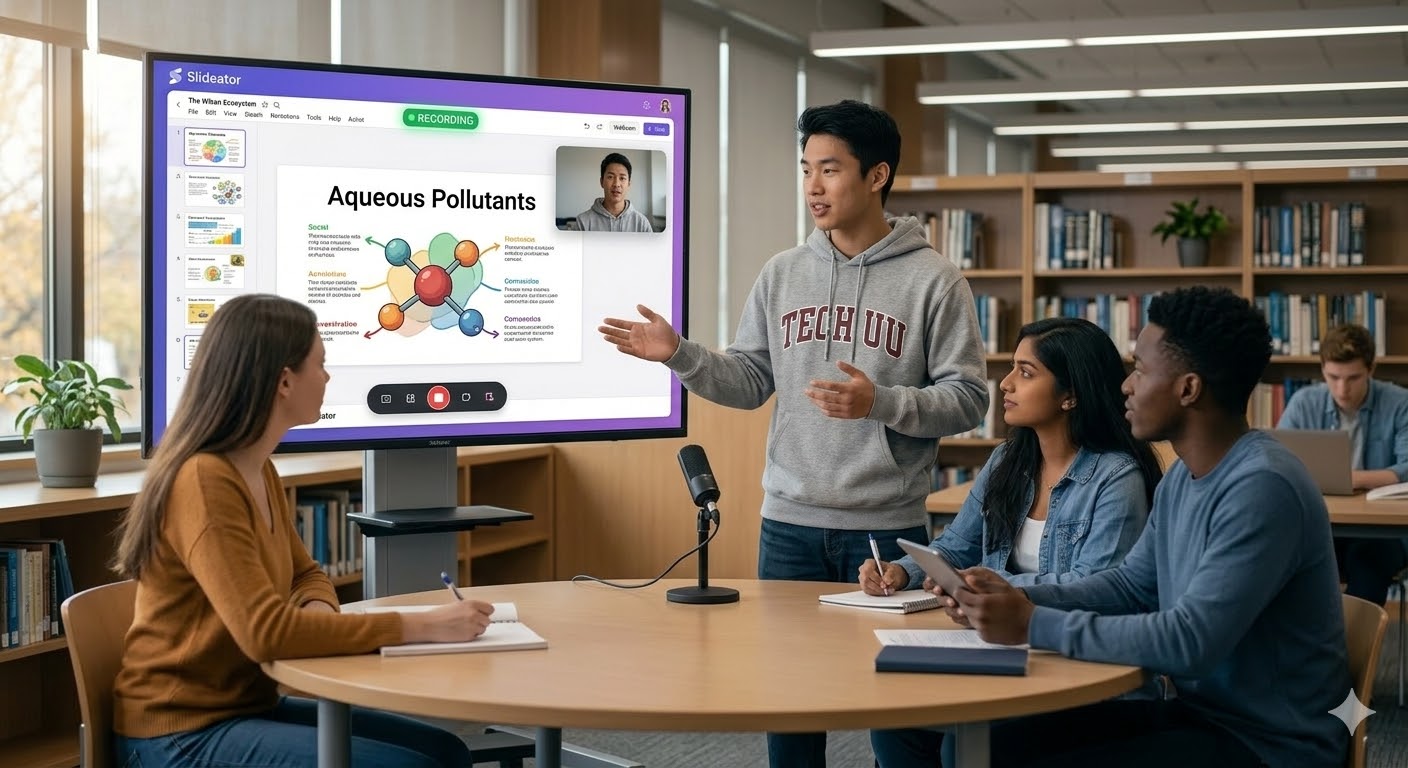
Create polished, narrated video presentations for any subject. Record presentation with face and slides free using your webcam and mic, and submit a video presentation your professor will actually remember. Perfect for history reports, science projects, business pitches, and literature reviews.
Video Essays & Narrated Assignments
Many instructors now accept — or require — video submissions. Use Slideator to record video presentation online free with your slides as the visual backbone. Explain your argument, walk through your research, and deliver a compelling academic video that goes far beyond what a written essay can achieve.
Group Projects & Team Presentations
Coordinate with classmates on shared presentations without the chaos of emailing files back and forth. Each group member can contribute slides and record their own section of the presentation. Combine everything into one cohesive group project video that showcases everyone's contribution clearly and professionally.
Schedule & Host Live Study Sessions
Schedule live video sessions with classmates, study groups, or your tutor directly from Slideator. Send invites, set a time, and host the session with your slides ready to present. Record the session automatically so everyone gets a replay — no scrambling for notes or trying to remember what was covered.
Mock Interviews & Practice Presentations
Practise your interview answers, pitch presentations, or spoken assessments by recording yourself on Slideator. Play it back, review your delivery, and improve before the real thing. Use the live streaming feature to run a mock interview session with a classmate or mentor in real time.
Build Your Academic & Professional Portfolio
Every presentation you create on Slideator becomes part of your growing portfolio. Share your best project videos with potential employers, internship coordinators, or scholarship panels. A curated library of your academic work presented in video format makes a far stronger impression than a CV alone.
Research Presentations & Thesis Defences
Whether you're defending a dissertation, presenting research findings to your department, or preparing a conference-style presentation — Slideator gives you the tools to structure, narrate, and deliver your research with the visual clarity and professionalism the work deserves.
Async Class Participation & Online Submissions
For online or hybrid classes that require async video participation — discussion responses, peer teaching, or reflective video journals — Slideator makes recording lectures online free and effortless. Create a narrated slide response to a discussion prompt in minutes and share the link directly with your instructor.
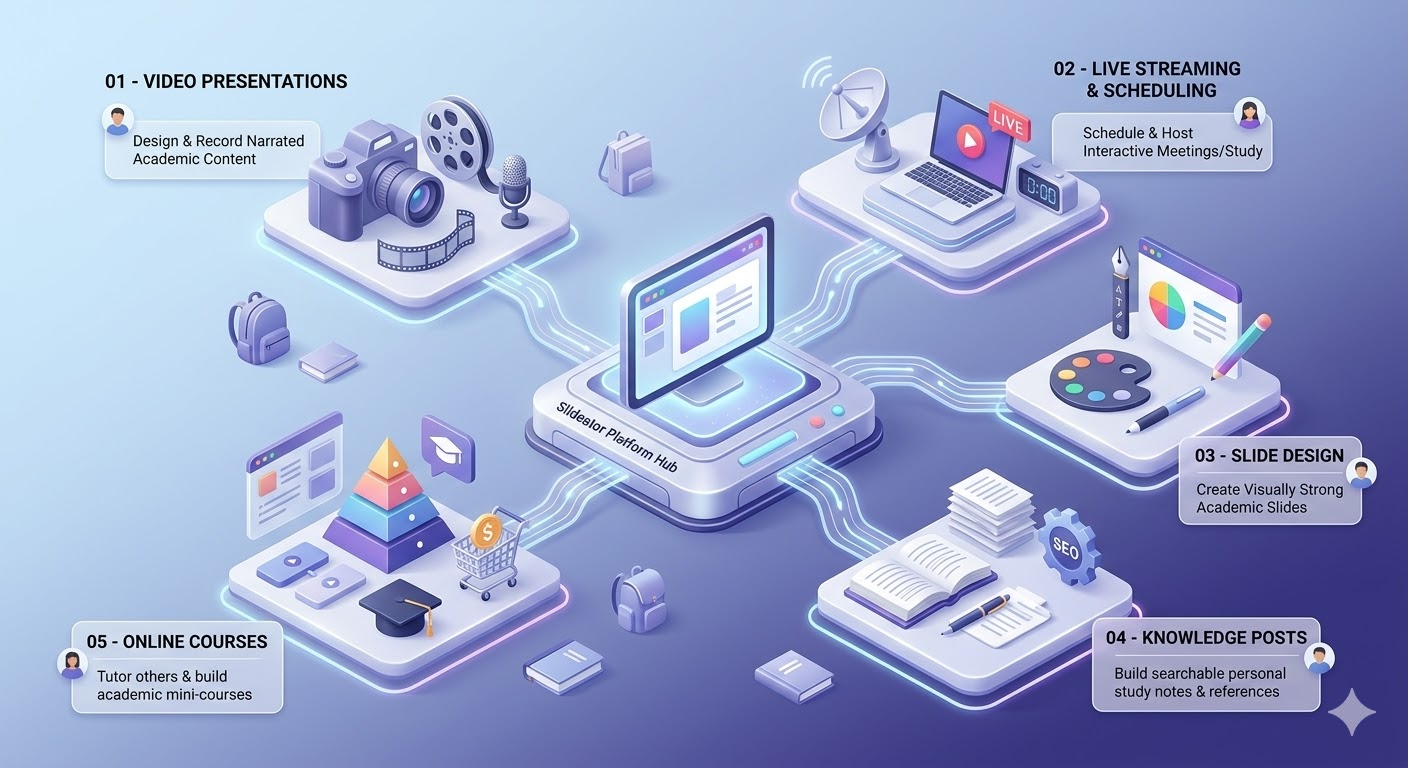
The Slideator Platform — Five Tools That Cover Every Student Need
01 — Video Presentations: Design your slides and record a narrated video walkthrough — all inside Slideator. Record presentation with webcam and audio simultaneously without needing external video editing tools.
02 — Live Streaming & Scheduling: Schedule live sessions with classmates, tutors, or professors. Host the session directly in Slideator with your slides ready to share and automatic recording.
03 — Slide Design: Design visually impressive slides using Slideator's built-in designer — without needing PowerPoint, Canva, or Google Slides.
04 — Knowledge Posts: Publish written study notes, research summaries, and learning reflections alongside your video content to build a searchable personal knowledge base.
05 — Online Courses: If you tutor or teach other students, package your knowledge into reusable mini-courses that help classmates and build your real-world skills.
From Brief to Brilliant Submission in Four Steps
- Design Your Slides: Open Slideator's slide designer, choose a template, and build out your presentation, or import existing slides.
- Record Your Narration: Hit record and walk through your slides with your webcam and voice overlay. Add annotations and drawings as you go.
- Schedule or Go Live: Need a live session? Schedule it, invite your group or tutor, and present your slides in real time while Slideator records automatically.
- Share & Submit: Share your video link with your instructor, submit it via your LMS portal, or add it to your student portfolio.
Before & After Slideator
| Workflow Task | Traditional Student Routine | With Slideator |
|---|---|---|
| App Management | Juggling PowerPoint, Zoom, Google Drive, and screen recorders | 100% Browser Studio in One Tab |
| Webcam Recording | Complex exports like trying to save PowerPoint as video on Mac | Record presentation with webcam and audio instantly |
| Group Collaboration | Confusing file versions emailed back and forth | Unified recording where each student contributes sections |
| Meeting Notes | Forgetting to record Zoom meetings and losing study points | Automatic replay recording for all live sessions |
| Career Portfolio | Plain text resume without visual project proof | Interactive video portfolio showcasing academic work |
Frequently Asked Questions
Is Slideator free for students?
Yes. Students can get started on Slideator completely free. Create presentations, record videos, publish posts, and schedule live sessions without paying anything.
How to video record yourself presenting a PowerPoint on laptop?
Simply open Slideator in your browser, upload your slides, turn on your webcam, and record. Slideator overlays your face video directly onto your presentation slides in real time.
How to record a presentation on PowerPoint with face on Mac?
Instead of wrestling with third-party extensions or attempting to save PowerPoint as video on Mac with missing audio, open Slideator in Safari or Chrome, upload your PPTX, and capture your webcam and narration seamlessly.
Can I record video presentation online free on my smartphone or tablet?
Yes. Access Slideator via your mobile browser on iOS or Android, upload your slides, enable your camera, and record presentation with face and slides free on the go.
Can I upload existing PowerPoint or Google Slides?
Yes. Upload your existing slide decks directly into Slideator and start recording your narration immediately — no need to rebuild anything from scratch.
Can I use Slideator to build a portfolio for job applications?
Absolutely. Every project and presentation you create on Slideator can be added to your public portfolio — giving you a visual, video-based showcase of your academic work that's far more compelling than a traditional CV.
Your Best Work Starts Here
Join thousands of students using Slideator to present better, collaborate smarter, and submit work that actually gets noticed.
Start Creating Free Today